ENG

Search results for: 'class n'
- Related search terms
- class e
- class i
- class a
- class a de
- class i in
-
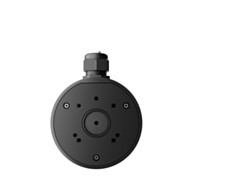 Ajax Junction Box mounting box 118×59mm | black88882.234.BLAjax Junction Box is a 118 × 59 mm mounting box that hides the wiring of Ajax devices.€44.78 €55.53In stock: 1
-
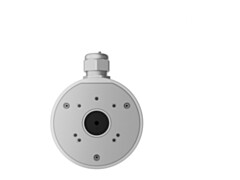 Ajax Junction Box mounting box 118×59mm | white88881.234.WHAjax Junction Box is a 118 × 59 mm mounting box that hides the wiring of Ajax devices.€44.78 €55.53In stock: 14
-
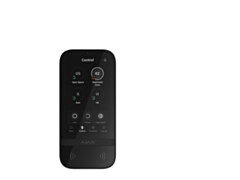 Ajax KeyPad TouchScreen touchscreen keypad | black58454.148.BL1Ajax KeyPad TouchScreen Jeweller is a wireless keypad with a 5-inch touch screen that authenticates users by code, Pass/Tag or smartphone.€353.11 €437.86Pre-order We will manually confirm the shipping times with you after placing an order
-
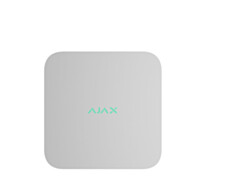 Ajax NVR network video recorder (NVR) | white | 8 channels70936.122.WHAjax NVR (8 channels) is a network video recorder for up to 4K cameras, supporting one drive of up to 16 TB and ONVIF® cameras.€281.16 €348.64In stock: 2
-
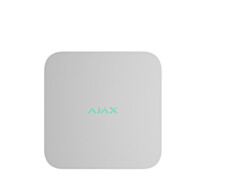 Ajax NVR network video recorder (NVR) | white | 16 channels70934.122.WHAjax NVR (16 channels) is a network video recorder for up to 4K cameras, supporting one drive of up to 16 TB and ONVIF® cameras.€380.38 €471.67In stock: 1
-
 Ajax CenterButton touch switch panel | olive | 1-gang, 2-way52177.140.OLAjax CenterButton (1-gang) is the front touch panel (olive) of the LightSwitch switch, used when the switch sits between other devices in the middle of a row in a Frame (3–5 seats).€11.81 €14.64Pre-order We will manually confirm the shipping times with you after placing an order
-
 Ajax CenterButton touch switch panel | beige | 1-gang, 2-way52176.140.IVAjax CenterButton (1-gang) is the front touch panel (ivory) of the LightSwitch switch, used when the switch sits between other devices in the middle of a row in a Frame (3–5 seats).€11.81 €14.64Pre-order We will manually confirm the shipping times with you after placing an order
-
 Ajax CenterButton touch switch panel | oyster | 1-gang, 2-way52178.140.OYAjax CenterButton (1-gang) is the front touch panel (oyster) of the LightSwitch switch, used when the switch sits between other devices in the middle of a row in a Frame (3–5 seats).€11.81 €14.64Pre-order We will manually confirm the shipping times with you after placing an order
-
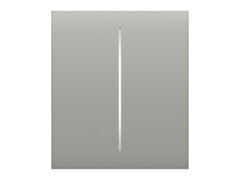 Ajax CenterButton touch switch panel | oyster | 2-gang52186.140.OYAjax CenterButton (2-gang) is the front touch panel (oyster) of the LightSwitch switch, used when the switch sits between other devices in the middle of a row in a Frame (3–5 seats).€12.65 €15.69Pre-order We will manually confirm the shipping times with you after placing an order
-
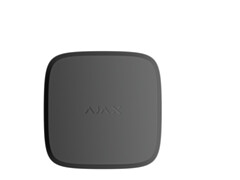 Ajax FireProtect 2 RB smoke and heat detector | black52251.136.BL1Ajax FireProtect 2 RB (Heat/Smoke) is a wireless fire detector with smoke and temperature sensors and an 85 dB built-in sounder.€103.91 €128.85Pre-order We will manually confirm the shipping times with you after placing an order
-
 Ajax SoloButton touch switch panel | grey | 1-gang, 2-way52142.144.GRAjax SoloButton (1-gang) is the front touch panel (grey) of the LightSwitch switch, used when the switch is installed as a separate device.€10.68 €13.24Pre-order We will manually confirm the shipping times with you after placing an order
-
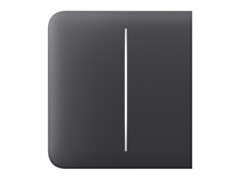 Ajax SideButton touch switch panel | graphite | 2-gang52165.143.GPAjax SideButton (2-gang) is the front touch panel (graphite) of the LightSwitch switch, used when the switch is the outermost device of a row in a Frame (2–5 seats) – at the left or right end.€10.96 €13.59Pre-order We will manually confirm the shipping times with you after placing an order
-
 Ajax CenterButton touch switch panel | grey | 1-gang, 2-way52175.140.GRAjax CenterButton (1-gang) is the front touch panel (grey) of the LightSwitch switch, used when the switch sits between other devices in the middle of a row in a Frame (3–5 seats).€11.81 €14.64Pre-order We will manually confirm the shipping times with you after placing an order
-
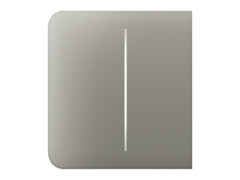 Ajax SideButton touch switch panel | olive | 2-gang52168.143.OLAjax SideButton (2-gang) is the front touch panel (olive) of the LightSwitch switch, used when the switch is the outermost device of a row in a Frame (2–5 seats) – at the left or right end.€10.96 €13.59Pre-order We will manually confirm the shipping times with you after placing an order
-
 Ajax SoloButton touch switch panel | olive | 1-gang, 2-way52144.144.OLAjax SoloButton (1-gang) is the front touch panel (olive) of the LightSwitch switch, used when the switch is installed as a separate device.€10.68 €13.24Pre-order We will manually confirm the shipping times with you after placing an order
-
 Ajax SoloButton touch switch panel | oyster | 1-gang, 2-way52145.144.OYAjax SoloButton (1-gang) is the front touch panel (oyster) of the LightSwitch switch, used when the switch is installed as a separate device.€10.68 €13.24Pre-order We will manually confirm the shipping times with you after placing an order
-
 Ajax CenterButton touch switch panel | white | 1-gang, 2-way52179.140.WHAjax CenterButton (1-gang) is the front touch panel (white) of the LightSwitch switch, used when the switch sits between other devices in the middle of a row in a Frame (3–5 seats).€11.81 €14.64Pre-order We will manually confirm the shipping times with you after placing an order
-
 Ajax CenterButton touch switch panel | black | 2-gang52180.140.BLAjax CenterButton (2-gang) is the front touch panel (black) of the LightSwitch switch, used when the switch sits between other devices in the middle of a row in a Frame (3–5 seats).€12.65 €15.69Pre-order We will manually confirm the shipping times with you after placing an order
-
 Ajax CenterButton touch switch panel | fog | 2-gang52181.140.FGAjax CenterButton (2-gang) is the front touch panel (fog) of the LightSwitch switch, used when the switch sits between other devices in the middle of a row in a Frame (3–5 seats).€12.65 €15.69Pre-order We will manually confirm the shipping times with you after placing an order
-
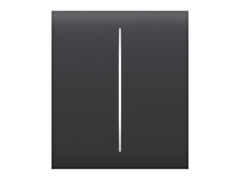 Ajax CenterButton touch switch panel | graphite | 2-gang52182.140.GPAjax CenterButton (2-gang) is the front touch panel (graphite) of the LightSwitch switch, used when the switch sits between other devices in the middle of a row in a Frame (3–5 seats).€12.65 €15.69Pre-order We will manually confirm the shipping times with you after placing an order
-
 Ajax CenterButton touch switch panel | grey | 2-gang52183.140.GRAjax CenterButton (2-gang) is the front touch panel (grey) of the LightSwitch switch, used when the switch sits between other devices in the middle of a row in a Frame (3–5 seats).€12.65 €15.69Pre-order We will manually confirm the shipping times with you after placing an order
-
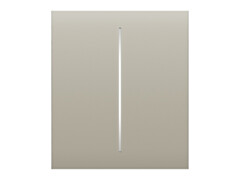 Ajax CenterButton touch switch panel | beige | 2-gang52184.140.IVAjax CenterButton (2-gang) is the front touch panel (ivory) of the LightSwitch switch, used when the switch sits between other devices in the middle of a row in a Frame (3–5 seats).€12.65 €15.69Pre-order We will manually confirm the shipping times with you after placing an order
-
 Ajax CenterButton touch switch panel | olive | 2-gang52185.140.OLAjax CenterButton (2-gang) is the front touch panel (olive) of the LightSwitch switch, used when the switch sits between other devices in the middle of a row in a Frame (3–5 seats).€12.65 €15.69Pre-order We will manually confirm the shipping times with you after placing an order
-
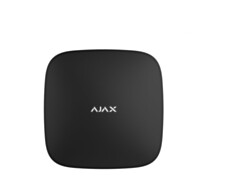 Ajax ReX 2 range extender | black38208.106.BL1Ajax ReX 2 Jeweller is a radio signal range extender with photo verification and Ethernet support: up to 199 devices and a range of up to 1,700 m.€221.62 €274.81Pre-order We will manually confirm the shipping times with you after placing an order
-
 Ajax MultiTransmitter black ЕU20354Ajax MultiTransmitter Jeweller connects up to 18 wired detectors to an Ajax system, keeping the existing equipment in use.€187.46 €232.45Pre-order We will manually confirm the shipping times with you after placing an order
-
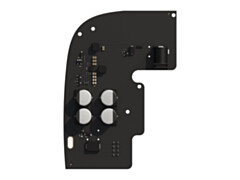 Ajax 6V PSU power supply | for Hub 2/Hub 2 Plus/ReX 238213.78.NCAjax 6V PSU (type A) powers an Ajax hub or range extender from a low-voltage source (4,2–10 V) instead of the mains.€31.46 €39.01Pre-order We will manually confirm the shipping times with you after placing an order
-
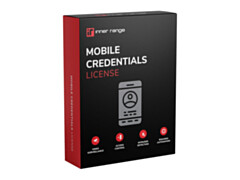 Integriti licence, mobile credentials management integrationIR-996964Licence for managing mobile credentials (HID Origo, STid Mobile ID, QR code) directly in the Integriti user editor.€610.00 €756.40Pre-order We will manually confirm the shipping times with you after placing an order
-
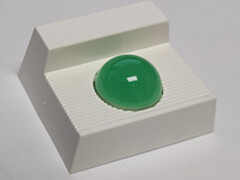 Eaton 1490 LED indicator | green | 12–24V DC, steady or flashing, without buzzer1490CVCompact green LED remote indicator, 12–24 V DC, steady or flashing light (60/min), IP40; e.g. as an external indicator for detectors in false ceilings or raised floors.€30.00 €37.20In stock: 9
-
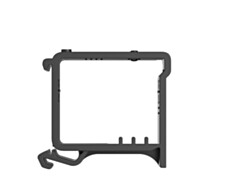 Ajax DIN Holder DIN rail holder | black51170.132.BLAjax DIN Holder is a mount for fixing an Ajax module to a DIN rail in a distribution board.€12.31 €15.26Pre-order We will manually confirm the shipping times with you after placing an order
-
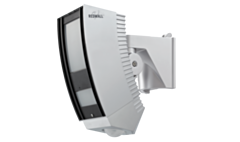 Optex REDWALL outdoor detector | PIR | wide 50 × 30m + creep zone | IP65SIP-5030Long-range wide-angle outdoor PIR detector with 50 × 30 m coverage and creep zone for large areas, IP65.€1,138.35 €1,411.55Pre-order We will manually confirm the shipping times with you after placing an order
-
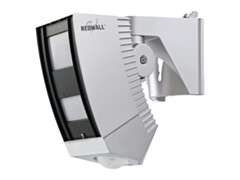 Optex REDWALL outdoor detector | PIR | wide 30 × 20m + creep zone | IP65SIP-3020/5Long-range outdoor PIR detector with wide 30 × 20 m coverage and a creep zone with its own output, IP65.€717.63 €889.86Pre-order We will manually confirm the shipping times with you after placing an order
-
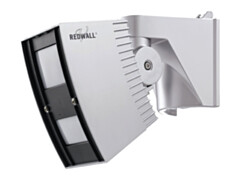 Optex REDWALL outdoor detector | PIR | narrow 40 × 4m | IP65SIP-404Long-range outdoor PIR detector with narrow 40 × 4 m coverage for small and mid-sized outdoor areas, IP65.€512.17 €635.09In stock: 2
-
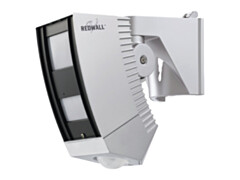 Optex REDWALL outdoor detector | PIR | narrow 40 × 4m + creep zone | IP65SIP-404/5Long-range outdoor PIR detector with narrow 40 × 4 m coverage and a creep zone with its own output, IP65.€717.63 €889.86Pre-order We will manually confirm the shipping times with you after placing an order
-
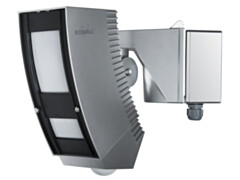 Optex REDWALL outdoor detector | PIR | narrow 100 × 3m + creep zone | IP65SIP-100Long-range outdoor PIR detector with narrow 100 × 3 m coverage and a separate creep zone, IP65.€1,219.55 €1,512.24Pre-order We will manually confirm the shipping times with you after placing an order
-
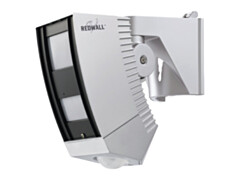 Optex REDWALL outdoor detector | PIR | 40 × 10m + creep zone | IP65SIP-4010/5Long-range outdoor PIR detector with 40 × 10 m coverage and a creep zone with its own output, IP65.€717.63 €889.86Pre-order We will manually confirm the shipping times with you after placing an order
-
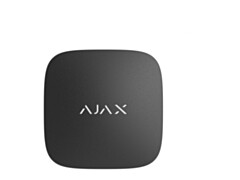 Ajax LifeQuality temperature, humidity and CO₂ sensor | black52272.135.BL1Ajax LifeQuality Jeweller measures room temperature, humidity and CO₂ level and can trigger a ventilation automation scenario.€295.20 €366.05Pre-order We will manually confirm the shipping times with you after placing an order
-
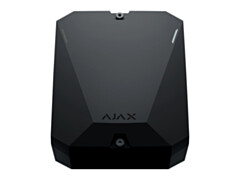 Ajax MultiTransmitter wired device integration module | black38201.62.BL1Ajax MultiTransmitter Jeweller connects up to 18 wired detectors to an Ajax system, keeping the existing equipment in use.€196.80 €244.03Pre-order We will manually confirm the shipping times with you after placing an order
-
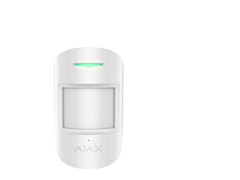 Ajax CombiProtect motion and glass break detector | white38097.06.WH1Ajax CombiProtect Jeweller combines a motion detector and a glass break detector: motion up to 12 m, glass break up to 9 m.€110.21 €136.66Pre-order We will manually confirm the shipping times with you after placing an order
-
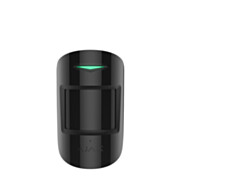 Ajax CombiProtect motion and glass break detector | black38096.06.BL1Ajax CombiProtect Jeweller combines a motion detector and a glass break detector: motion up to 12 m, glass break up to 9 m.€110.21 €136.66Pre-order We will manually confirm the shipping times with you after placing an order
-
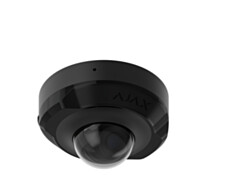 Ajax DomeCam Mini dome IP camera | black | 5MP | 2.8mm76019.214.BL1Ajax DomeCam Mini 5 MP / 2.8 mm is a compact AI-powered dome camera with a resolution of 2880 × 1620 px.€214.60 €266.10Pre-order We will manually confirm the shipping times with you after placing an order
-
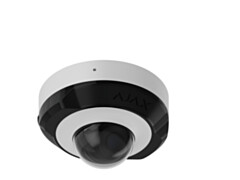 Ajax DomeCam Mini dome IP camera | white | 5MP | 2.8mm76018.214.WH1Ajax DomeCam Mini 5 MP / 2.8 mm is a compact AI-powered dome camera with a resolution of 2880 × 1620 px.€214.60 €266.10Pre-order We will manually confirm the shipping times with you after placing an order
-
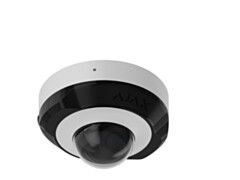 Ajax DomeCam Mini dome IP camera | white | 5MP | 4mm76020.214.WH1Ajax DomeCam Mini 5 MP / 4 mm is a compact AI-powered dome camera with a resolution of 2880 × 1620 px.€214.60 €266.10Pre-order We will manually confirm the shipping times with you after placing an order
-
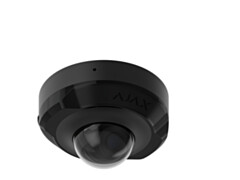 Ajax DomeCam Mini dome IP camera | black | 5MP | 4mm76021.214.BL1Ajax DomeCam Mini 5 MP / 4 mm is a compact AI-powered dome camera with a resolution of 2880 × 1620 px.€214.60 €266.10Pre-order We will manually confirm the shipping times with you after placing an order
-
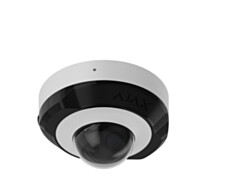 Ajax DomeCam Mini dome IP camera | white | 8MP | 2.8mm76022.214.WH1Ajax DomeCam Mini 8 MP / 2.8 mm is a compact AI-powered dome camera with a resolution of 3840 × 2160 px.€286.12 €354.79Pre-order We will manually confirm the shipping times with you after placing an order
-
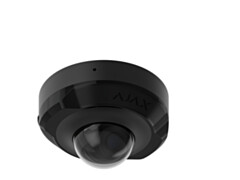 Ajax DomeCam Mini dome IP camera | black | 8MP | 2.8mm76023.214.BL1Ajax DomeCam Mini 8 MP / 2.8 mm is a compact AI-powered dome camera with a resolution of 3840 × 2160 px.€286.12 €354.79Pre-order We will manually confirm the shipping times with you after placing an order
-
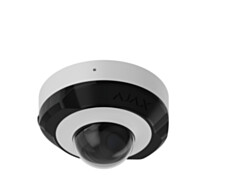 Ajax DomeCam Mini dome IP camera | white | 8MP | 4mm76024.214.WH1Ajax DomeCam Mini 8 MP / 4 mm is a compact AI-powered dome camera with a resolution of 3840 × 2160 px.€286.12 €354.79Pre-order We will manually confirm the shipping times with you after placing an order
-
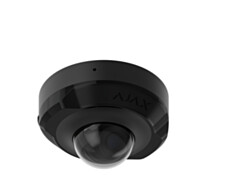 Ajax DomeCam Mini dome IP camera | black | 8MP | 4mm76025.214.BL1Ajax DomeCam Mini 8 MP / 4 mm is a compact AI-powered dome camera with a resolution of 3840 × 2160 px.€286.12 €354.79Pre-order We will manually confirm the shipping times with you after placing an order
-
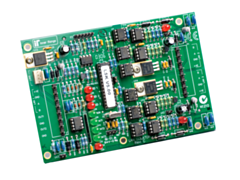 Integriti LAN isolator, 5 kV, in metal enclosureIR-995080Optical isolator for the RS-485 LAN in a metal enclosure: breaks earth loops and extends the LAN by 1500 m.€473.85 €587.57In stock: 21
-
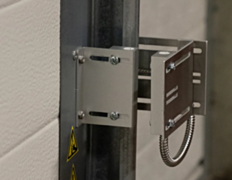 Alarmtech MC Bracket Kit for magnetic contacts on overhead doors6310729Alarmtech MC Bracket Kit is an aluminium bracket set for mounting magnetic contacts on overhead and industrial doors away from the door mechanics.€68.20 €84.57In stock: 8
-
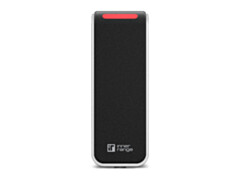 SIFER Hybrid HID Signo 20 card reader, multi-format, Bluetooth / NFC, mullionHID-20-IRHID Signo mullion card reader that supports Inner Range encrypted SIFER-P cards and phone wallets in addition to HID technologies.€516.00 €639.84Pre-order We will manually confirm the shipping times with you after placing an order
Walde AS
Reg. nr.: 10101736
KMKR: EE100071803
IBAN: EE452200221001122986
Mon-Fri 9-17:00
Sat, Sun – closed
Pärnu mnt 238, Tallinn
Telephone: +372 6610707
walde@walde.ee
Vana elektroonika vastuvõtt
Müügitingimused
Privaatsuspoliitika
Hea äritava